More Ways to Collect and Promote Customer Reviews with Your Locable account
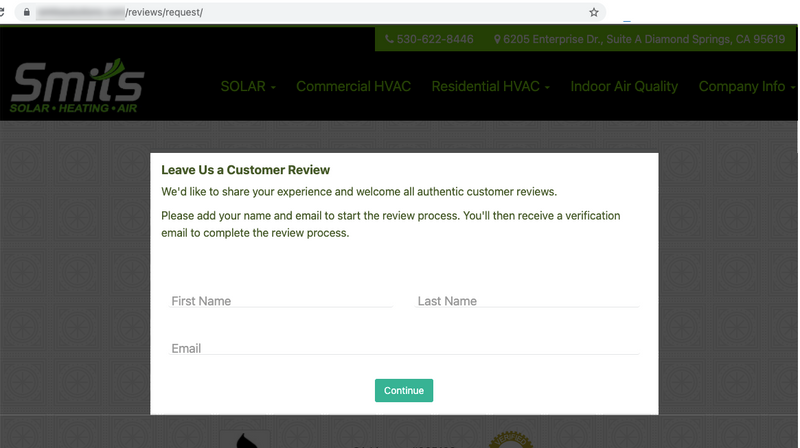
Locable users have benefited from our Customer Reviews Generation feature for years and now we're proud to share an update about an oft-requested feature.
Customers can now leave you a review without you having to invite them.
Every Locable website has a new leave-a-review page at /reviews/request where customers can initiate the process.
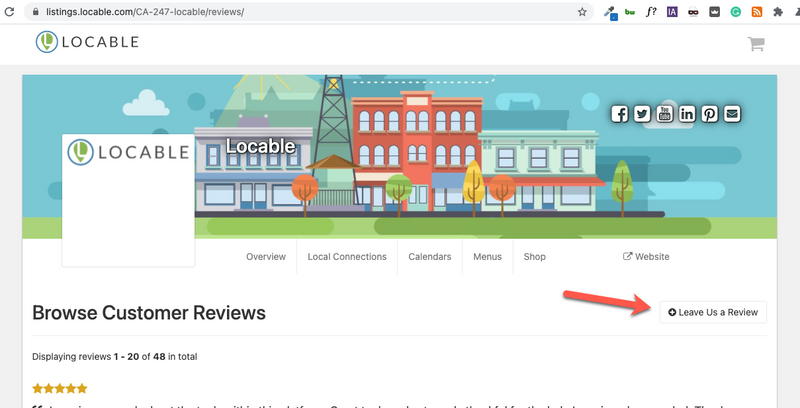
Likewise, every Locable listing also has a comparable page for non-website accounts.
When a customer adds their name and email address, an email is sent to them asking them to rate their experience from 1-10, based on their rating they will then be taken to a form either to write a review or to provide private feedback.
This process of rating then leaving a review or feedback is exactly the same as when you request a review from them now
Your contact database will be updated as customers do this - their existing contact record will show the new activity or, if they're not a contact already, they will be added.
Ways to use this new page to collect reviews
Sending reviews requests is always going to be a great way to collect customer reviews but there are some useful ways to leverage this new feature
- Share the URL to Facebook and other social media channels
- Include the URL in your email newsletter
- Add the URL to invoices or billing statements
- Print out a flyer with the URL (maybe a QR code) to add to your window, checkout, menu, etc
It's always best to let customers know that reviews are important then ask them if they'd be willing to spend a minute or two to leave you a 5-star review if their experience warrants it.
Ready to collect more customers reviews and get more referrals?
Part of our Marketing 3-4-5™ approach