
Don't Let Good Content Die on Social Media - Checklist
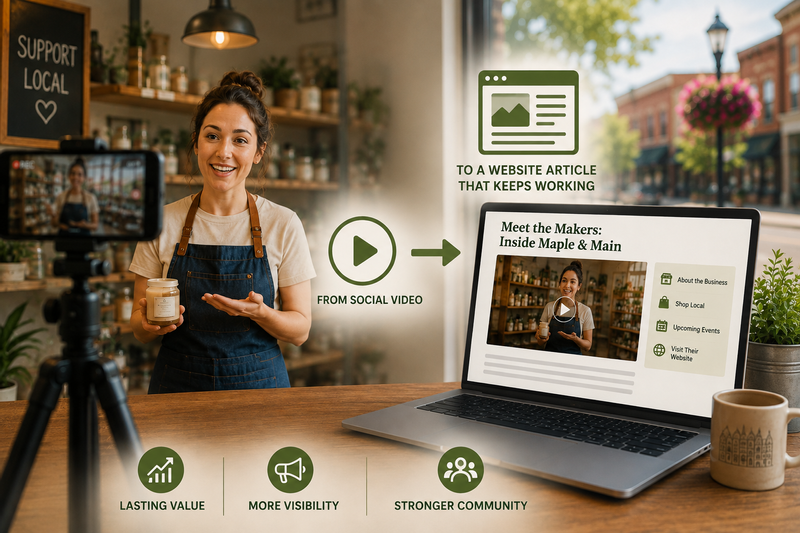
A simple checklist to turn one Reel, Short, or social video into a long-term marketing asset.
You already came up with the idea.
You recorded the video. You published it.
Don't let all that work disappear into the social feed and ensure more people can access your information.
Spend another 10-15 minutes and you'll have a useful article on your website that supports search, helps local businesses, gives you something to include in your newsletter, and can be shared again months from now.
If you're a Main Street, Chamber, tourism organization, or community leader, it's also a great way to set the example for the businesses you serve while avoiding common mistakes that plague well-intentioned but social-media-only efforts.
1. Give your article a title people would search for
Your article deserves a descriptive title and this is one of the top 3 ways you can influence search results.
Skip titles like:
Our Latest Video
Instead, describe what someone will actually learn.
Examples:
- How Smith's Hardware Restores Antique Windows
- Meet the Volunteers Behind This Year's Downtown Cleanup
- 3 Things Every Visitor Should See During Apple Festival Weekend
The more specific your title, the more useful it becomes and bonus points if you can include geographic references like "in Fayetteville, TN" or "in Lincoln County, TN."
2. Embed the video at the top
Start with the original video.
Then add one or two sentences explaining:
- Who is featured
- What's happening
- Why someone should care
If possible, upload the video to YouTube and embed that version. It makes transcripts, captions, and long-term organization much easier.
3. Add a transcript
Depending on the platform, the transcript may be generated and you can use this to as a starting point - or, include all of the transcript with light formatting.
- YouTube: Copy the transcript.
- Facebook: Review and reuse the generated captions when available.
- Instagram: Use an AI transcription tool or transcript from the original video.
Always review names, businesses, locations, and local terminology since these transcripts are rarely error-free.
4. Turn it into a short narrative or story
The transcript is useful.
An organized article is better.
Include:
- A short introduction
- Two or three key takeaways
- A memorable quote
- A short conclusion or invitation to learn more
Think of how you would describe the video to a friend. Don't rewrite the story.
Simply organize what already exists.
5. Link to the people you're talking about
Be mindful to format your post for scannability (notice the section headers and bullet points in this article?):
- The business's directory listing
- Related events
- Shopping or dining guides
- Other articles
- Volunteer opportunities
- Community resources
Every link helps readers take the next step while making your website more useful. Internal links and solid formatting are the other ways you can most influence search results.
6. Distribute it the Marketing 3-4-5™ way
The social video got people's attention.
Your website becomes the reliable source.
From there you can:
- Share it in your email newsletter.
- Post it back to social media.
- Link to it from related pages.
- Let partners and businesses share it.
- Reshare it later when it's relevant again.
That's exactly what the Marketing 3-4-5™ approach encourages: create something useful once, give it a durable home, then distribute it in multiple ways over time instead of constantly starting over.
If you need help making your content stronger or just want a faster way to create content, our software now features Marketing 3-4-5™ marketing plans and checklists in every account to help you identify the questions to answer, links to include, and details that make your content more useful, without requiring more creativity.