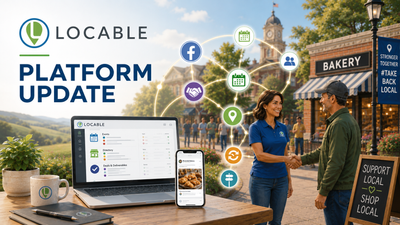
Locable Platform Update: Expanded and Improved Member Management Tools in Every Locable Account & More

Membership management has been expanded and simplified for both the managing organization and the member itself.
Member profiles are now available directly within Locable accounts with access to more information and new abilities.
Members can now see their memberships, manage key details, find resources and events, and use member pricing without signing in separately on each organization’s website.
The change also expands nonbusiness members' ability to manage their own accounts and gives organizations more ways to offer and track member-only pricing for things like event registration.
We Originally Built The Website Profile Because That Is What Everyone Expected
We originally put member logins on each organization’s website because that’s where people expected to find them. But members don't really want to log in to separate sites and Locable doesn’t work one website at a time anyway.
Our Community Information Grid connects the things that matter most - a business posts an event once and it reaches your calendar, their own website, their Google Business Profile, their Facebook page, and the other community sites that carry it.
Members may belong to several organizations, and their Locable account is where they already manage the businesses, information, and activity connected to those organizations.
The separate website login created another place to sign in, another password to remember, and another answer to “Where do I go?” It also separated membership management from the Locable tools that offer transformative value to members through their chamber or main street.
This was the wrong approach; we knew it and we heard it from a few of our Chambers. So we’ve moved member profiles and membership management into Locable accounts, where one member can access memberships across organizations.
One Account for Memberships Across Organizations

Memberships can be associated with businesses or individual accounts, so the experience works for a wider range of organizations and members.
Members can also see Events You’re Attending, with registrations across organizations in one place.
Now, memberships appear in the member’s Locable account. A member can open each membership to see its plan and status, roster, resources, upcoming events, recent posts, registrations, and billing history.
A member may belong to a Chamber, a downtown organization, a professional association, and more but only has to log in one place to manage memberships.
Best of all, information between their business's source of truth, Facebook Page, Google Business Page, and more stays in sync across the community.
Member-Only Pricing - Now Works by Email or Code with Tracking

Want to offer Member-only pricing for event registration and with other forms?
While this option isn't new, forms with member pricing enabled still show both list price and member-only price but now they automatically match the registrant's email address to their membership - they get the member price and no login is required.
Your members also have an option to share a unique member discount code if team members who are not on their member roster want to register. Some membership organizations have plans with a limit to the number of seat - or people associated with a plan - these plans do not receive discount codes.
The expanded CRM membership page also includes a Member Savings panel showing member pricing used and the total savings recorded going forward.
Member Resource PDFs
Some organizations provide members with private PDF resources.
Now, resources can be attached to multiple membership plans, so organizations don’t need to upload the same resource separately for each tier.
By default, these resources are hidden automatically when a membership goes inactive. However, you can keep access to a resource available after their membership lapses by adjusting the resource setting.
A Few Other Improvements

Some of your directories may include Categories or Tiers to better curate your business data and make information more resourceful.
Both directory Categories and Tiers can now be managed directly in the Company's CRM record.
We also fixed an issue where CRM contacts who had previously received a newsletter could be unsubscribed but couldn't be deleted. However, deleting data should be treated seriously and done rarely.